![Group 20534 (1).png]](https://support.bridebook.com/hs-fs/hubfs/Group%2020534%20(1).png?height=20&name=Group%2020534%20(1).png)
Smart Pricing uses the information in your pricing brochure to give couples a personalised estimate before they enquire.
Couples can enter details such as their preferred dates and guest numbers, compare prices across different months and days, and explore the options relevant to their wedding.
This gives couples a clearer understanding of your pricing while helping you spend less time responding to enquiries that do not match their budget.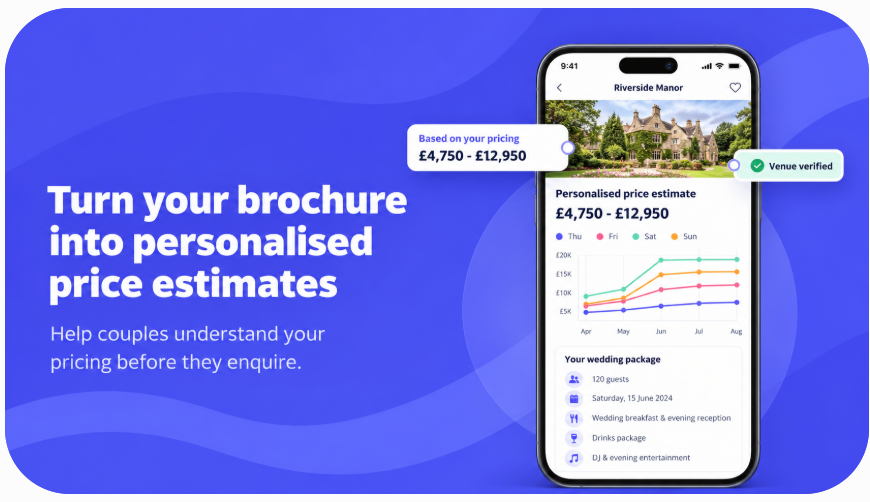
How Smart Pricing can help your venue
Receive better-matched enquiries
Couples can view an estimated price range before contacting you, helping them understand whether your venue suits their budget.
Start more informed conversations
Couples already have an idea of your pricing and what may be included, allowing your first conversation to focus more closely on their wedding plans.
Highlight more affordable dates
The price graph and table make it easier for couples to discover midweek or off-peak dates they may not have considered.
How does Smart Pricing work?
Smart Pricing follows five main steps:
- You upload a pricing brochure.
- Bridebook extracts the relevant pricing information.
- An estimated price appears on your Bridebook profile.
- You review, edit and verify the extracted information.
- Couples personalise the estimate using their wedding details.
The estimate may appear before you complete verification, using the information extracted from your brochure. We therefore recommend reviewing it as soon as possible.
Upload your pricing brochure
To get started:
- Log in to your Bridebook Business account.
- Go to Your profile.
- Select Pricing & Brochures.
- Choose Upload pricing.
- Upload the PDF containing your venue prices.
- Enter a clear file name, as couples will see this name.
- Select Pricing as the brochure type.
- Choose how long the brochure prices remain valid.
- Save your changes.
A General Brochure will not generate a personalised estimate. You must upload the document as a Pricing Brochure.
Prepare your brochure for the best results
Smart Pricing works best when your brochure clearly shows:
- Package names
- Fixed and per-person prices
- The dates or year each price covers
- Seasonal and day-of-the-week prices
- Guest capacities
- What each package includes
- Food and drink options
- VAT information
Where your prices change by season or day, place them in a clear table with the months and days shown as rows or columns. Prices written only within paragraphs may not be extracted correctly.
If venue hire and catering form part of the same pricing option, include both within the same PDF. Information held in separate brochures may not automatically be combined into one estimate.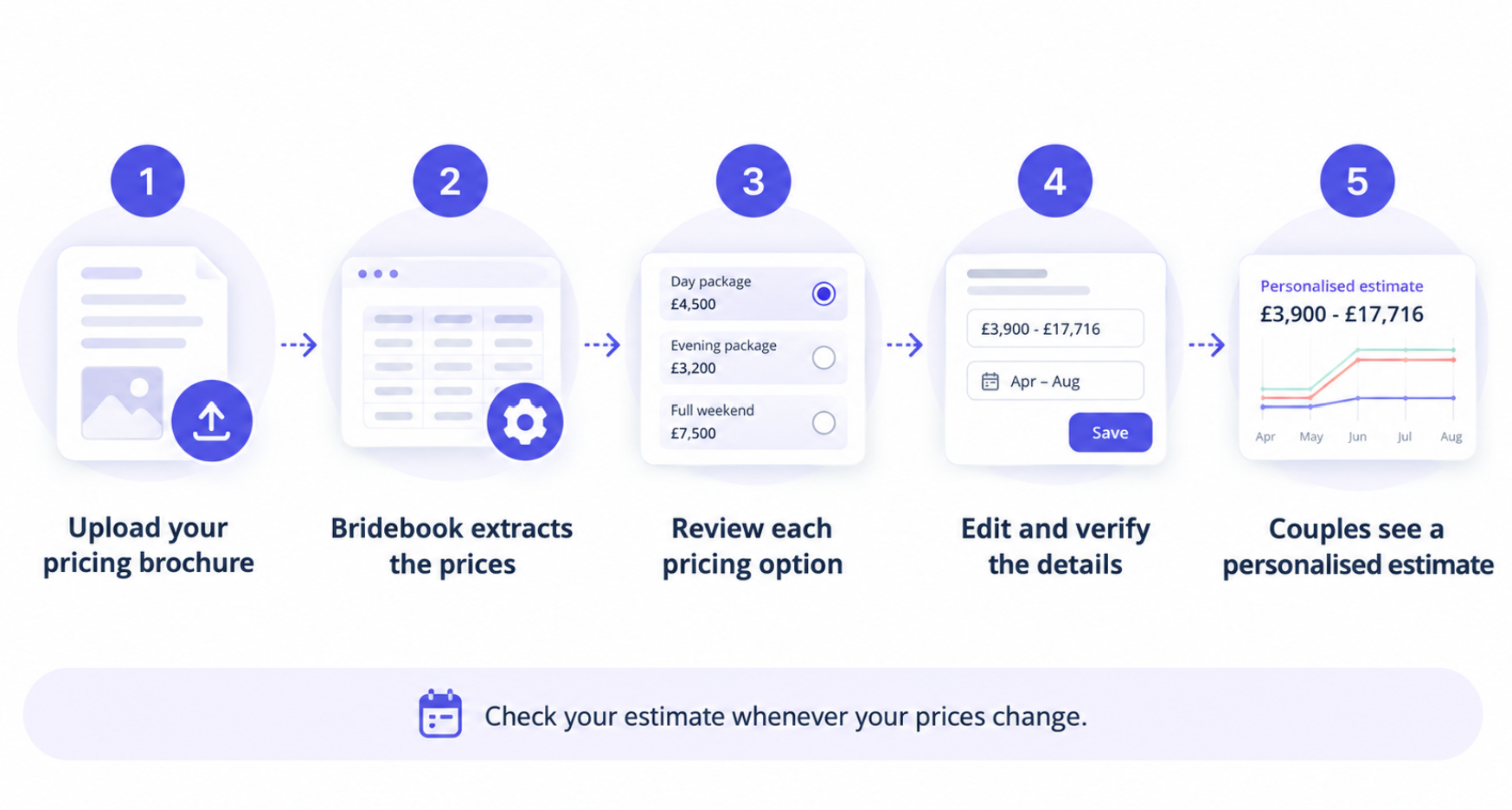
Review the pricing Bridebook has found
After processing your brochure, Bridebook will display a Verify pricing button beside the document. This may take a few minutes to appear.
Select Verify pricing to open the pricing options found in your brochure.
A pricing option represents something a couple can book. For example, if your brochure contains an all-inclusive package, a venue hire and catering option, and a venue-hire-only option, these may appear as three separate options.
Open each option and review all of the information carefully before verifying it.
Choose how you charge couples
For each pricing option, select the structure that best matches how your venue charges:
Package price
Choose this when couples pay one price covering the venue, food and drink.
The price may be fixed or charged per guest after a minimum number of guests.
Venue hire with food and drink options
Choose this when couples pay a fixed venue hire fee and then select food and drink options charged separately, usually per guest.
The personalised estimate combines the hire fee with the choices selected by the couple and their guest numbers.
Venue hire only
Choose this when couples pay for venue hire and arrange catering separately.
The estimate includes the venue hire price only. It should be clear from the option name and description that catering is not included.
Check and verify each sectionDepending on the pricing structure selected, Bridebook will ask you to review details such as:
- The pricing option’s name and validity dates
- Fixed or per-person prices
- Seasonal and day-of-the-week prices
- What the price includes
- Required food or drink choices
- Optional extras and add-ons
Check each section against your brochure and correct anything that is missing or inaccurate. Select Verify as you complete each section.
You can also use Preview what couples see to check how your pricing will appear on your public profile.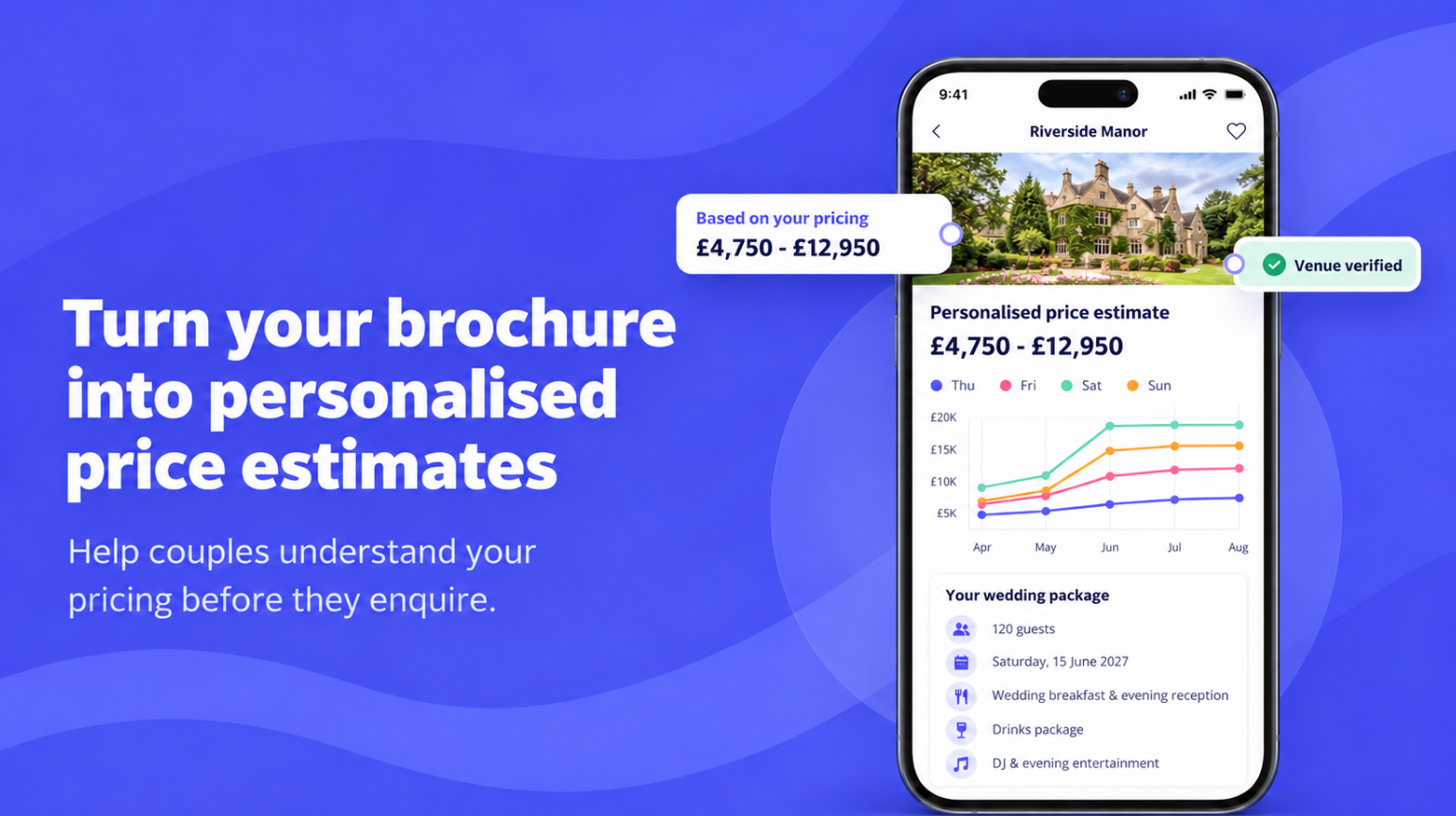
What happens after verification?
Once you have verified your pricing, couples will see a Venue verified badge beside the estimate.
This shows that your venue has checked the pricing information displayed. Verified pricing can give couples greater confidence when comparing your venue and deciding whether to enquire.
You can return to your pricing at any time to review or update it.
What will couples see?
Couples may see:
- A personalised estimated price range
- A graph or table comparing months and days
- The wedding details used to calculate the estimate
- Your available pricing options
- Package inclusions and guest capacity
- Whether VAT is included
- A Venue verified badge once you have completed verification
Couples can edit their wedding details to explore how changing their date, guest numbers or package choices could affect the estimated price.
Is the estimate a final quote?
No. Smart Pricing gives couples an estimated range to help them understand affordability before enquiring.
You will still confirm the final price directly with the couple. Their final quote may depend on their exact date, availability, final guest numbers and any additional requirements.
What may be left out of the estimate?
Some costs and pricing rules may not be included in the calculated figure, including:
- Bank Holiday and individual-date pricing
- Christmas, New Year or Easter supplements
- Minimum-spend requirements
- Children’s prices
- Separate evening-guest prices
- Bedrooms required as part of exclusive use
- Optional extras and upgrades
- Additional charges above a package’s guest allowance
Optional extras may appear alongside the pricing option, but their prices may not be added to the couple’s estimated total.
Add any important conditions or excluded charges to the relevant What’s included or description section so couples can still read them.
Keeping your estimate accurate
Review your Smart Pricing whenever you upload a new brochure or change your prices.
For the clearest and most accurate estimate:
- Remove expired or outdated brochures.
- Keep related venue hire and catering prices together.
- Use tables for seasonal and day-of-the-week pricing.
- Clearly label fixed and per-person charges.
- Add validity dates to each package.
- Explain any important costs that the estimate cannot calculate.
- Preview the couple experience after making changes.
Smart Pricing gives couples a useful starting point while keeping you in control of the information shown and the final quote you provide.