![Bridebook-logo-blue (1)-1.png]](https://support.bridebook.com/hs-fs/hubfs/Bridebook-logo-blue%20(1)-1.png?height=20&name=Bridebook-logo-blue%20(1)-1.png)
Where to add or change your phone number
Your phone number is set each time you send an enquiry.
-
Log in to Bridebook
-
Open a venue or supplier listing
-
Click Request a quote / Send enquiry
-
In the enquiry form, go to Request details
-
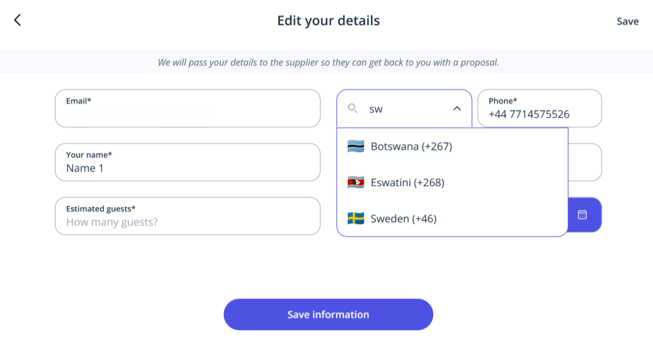
Use the country dropdown next to the phone number field
-
Select your country code and enter your number
-
Send your enquiry
✅ The number you enter here will be used for that enquiry only
Bridebook displays country names in their native language, not always in English.
For example:
-
Switzerland → Schweiz
-
Germany → Deutschland
-
Spain → España
💡 Tip: If you can’t find your country, scroll carefully through the full list and look for the local spelling.
This applies no matter where your wedding is taking place.
For example:
-
You can use a Swiss number when enquiring about a French venue
-
You can use a non-UK number when enquiring about UK venues
Can I save my phone number permanently?
At the moment:
-
❌ There is no global phone number setting in account settings
-
✅ Phone numbers can only be added or changed within the enquiry form
This is a known limitation and something the team is looking to improve in the future.
If you’re still stuck
If you’re unable to add your phone number:
-
Double-check the local language name of your country
-
Make sure you’re editing the number inside the enquiry form
-
Try scrolling the dropdown slowly — the list is alphabetical by local name
If the issue persists, contact support with:
-
Your country
-
The number you’re trying to add
-
Where you’re getting stuck in the process
If you have any questions or run into issues, our support team is always happy to help 💛