![Bridebook-logo-blue (1)-1.png]](https://support.bridebook.com/hs-fs/hubfs/Bridebook-logo-blue%20(1)-1.png?height=20&name=Bridebook-logo-blue%20(1)-1.png)
Where to add or change your phone number
Your phone number is set each time you send an enquiry.
-
Open a venue or supplier listing
-
Click Request a quote / Send enquiry
-
In the enquiry form, go to Request details
-
Use the country dropdown next to the phone number field
-
Select your country code and enter your number
-
Send your enquiry
The number you enter here will be used for that enquiry only.
Bridebook displays country names in their native language, not always in English.
For example:
-
Switzerland → Schweiz
-
Germany → Deutschland
-
Spain → España
💡 Tip: If you can’t find your country, scroll carefully through the full list and look for the local spelling.
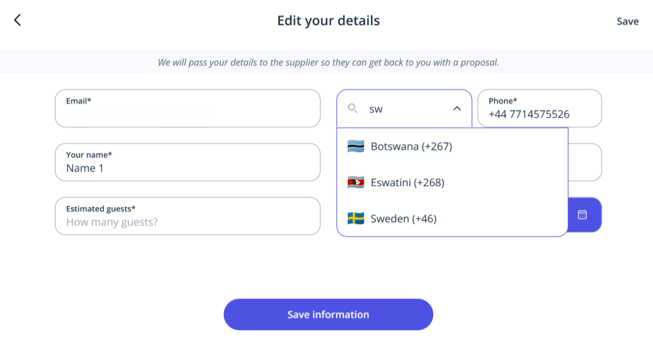
This applies no matter where your wedding is taking place. For example:
-
You can use a Swiss number when enquiring about a French venue
-
You can use a non-UK number when enquiring about UK venues
Can I save my phone number permanently?
At the moment:
-
There is no global phone number setting in account settings
-
Phone numbers can only be added or changed within the enquiry form
Our team is looking to improve this in the future.
If you’re still stuck
If you’re unable to add your phone number:
-
Double-check the local language name of your country
-
Make sure you’re editing the number inside the enquiry form
-
Try scrolling the dropdown slowly — the list is alphabetical by local name
If you have any questions or run into difficulties, our support team is always happy to help! 💙