![Bridebook-logo-blue (1)-1.png]](https://support.bridebook.com/hs-fs/hubfs/Bridebook-logo-blue%20(1)-1.png?height=20&name=Bridebook-logo-blue%20(1)-1.png)
If the venue or supplier you’ve booked for your wedding isn’t showing up on Bridebook, don’t worry – you can easily add them to your ‘Booked’ suppliers so your planning stays on track📆
Here’s how:
-
Go to the ‘Planning’ tab and open the ‘Booked’ planning tool.
-
Under Favourites, select the ‘Booked’ option, then click ‘Add booked supplier +’ at the bottom.
-
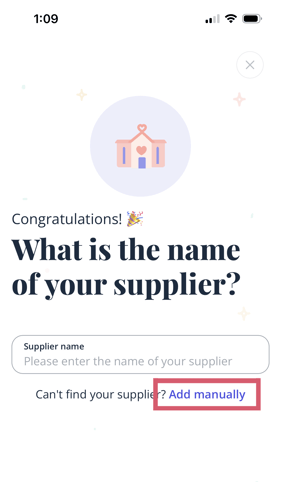
When the supplier search appears, click ‘Add manually’.
-
Fill in the supplier details and save.
And that’s it! Your supplier will now appear in your ‘Booked’ suppliers, keeping your wedding planning organised and stress-free💓💍