![Group 20534 (1).png]](https://support.bridebook.com/hs-fs/hubfs/Group%2020534%20(1).png?height=20&name=Group%2020534%20(1).png)
Go to Your Profile
- Go to your Bridebook Business profile.
- Look for the icon in the bottom left-hand corner displaying your name and membership type.
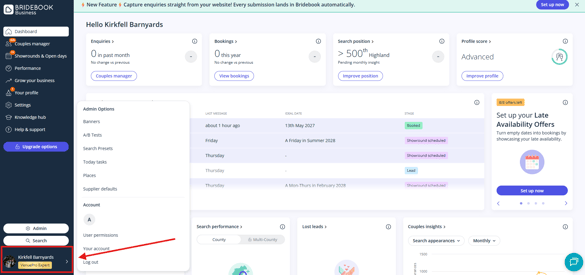
Find 'Your Account'
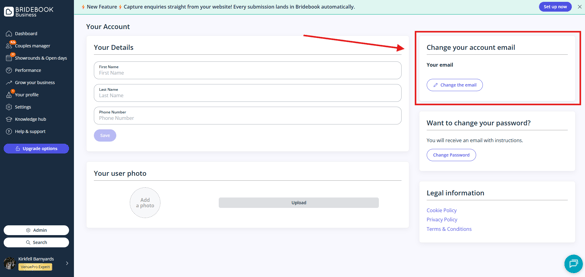
- Here, you will be able to change all the details of your account, including your account email.
- You will need to input your password to be able to change the email address.
Email Recommendation 💌
For easy access, consider using a wedding-focused email (e.g., weddings@ or events@) so multiple team members can access the account.
Need help?
If you have trouble accessing the account or need help with email changes, feel free to reach out to our wonderful Customer Support team below!