![Bridebook-logo-blue (1)-1.png]](https://support.bridebook.com/hs-fs/hubfs/Bridebook-logo-blue%20(1)-1.png?height=20&name=Bridebook-logo-blue%20(1)-1.png)
Accessing Your Profile
-
Once you're logged in, click on the ⚙️icon in the top right corner of the screen
-
This will then bring up your 'settings'
Editing Your Profile Information
In the Settings section, head to My account details and you’ll find your key details such as:
-
Your name
-
Email address
-
Login methods
-
Language
Updating Your Wedding Details
In the Settings section, head to My wedding details and you’ll find all the info:
- Your and Your partner's name
- Wedding details
- Location
- Date
- Guest count
- Currency
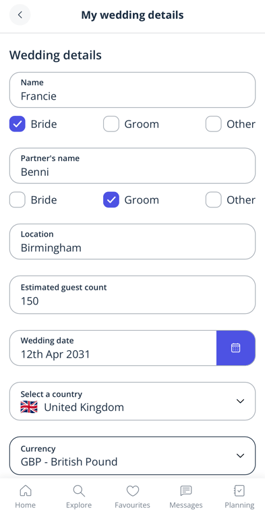
The information will automatically save so you're all up to date! 💫
If something doesn’t look right or you’re unable to access the settings, try refreshing the page or logging out and back in.
Should you come across any difficulties or have any questions, please contact our customer support team here. 💙