![Group 20534 (1).png]](https://support.bridebook.com/hs-fs/hubfs/Group%2020534%20(1).png?height=20&name=Group%2020534%20(1).png)
If you manage more than one business on Bridebook, you can link multiple business profiles to a single login, making it easy to switch between accounts without managing separate credentials.
📝 Before You Start
Each business profile must first be created using a different email address.
Once all business profiles have been set up, our team can link them together so they can be accessed using a single email address and password.
🔗 How to Link Your Accounts
- Log in to your Bridebook Business account.
- Go to the Support tab.
- Send us a message with the name of the business account you'd like to link.
- We'll get a verification link sent over.
✅ Verify Your Accounts
To complete the setup:
- Open each verification link individually.
- Using the 'Sign in' tab, log in using the same email address and password for all accounts.
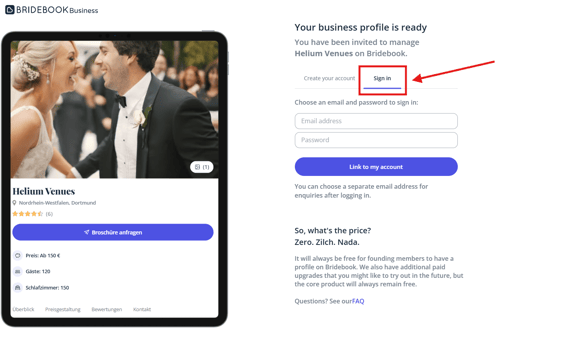
💡 Tip: You need to make sure you sign out of account you are currently logged in to before opening the link. Alternatively, right-click on the link and select 'Open link in incognito window' to open in Incognito/Private browsing mode
🔄 Switching Between Accounts
Once your accounts have been linked, you can switch between them at any time:
- Click your Business Name in the bottom-left corner of the screen.
- Select the account you'd like to access from the dropdown menu.
🎉 That's it! Your business profiles are now linked and can be managed from a single login.
Need help?
If you need any help setting up or linking your accounts, our Customer Support team is here to help. Get in touch using the options below.